
Problem
I use Claude and OpenCode Go every day, and both have usage limits with their own reset times. I wanted a small, always-visible view of both, with the reset countdowns, instead of checking each provider separately.
What I built
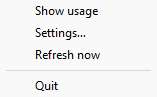
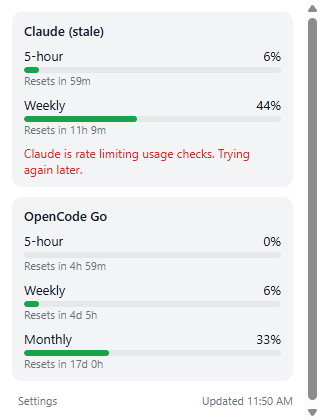
A Windows tray app that shows two usage meters in the tray icon, with Claude on top and OpenCode Go below. Each meter shows its busiest window, and hovering shows a summary. The tray menu has Show usage (a popup with every window and its reset countdown), Settings…, Refresh now and Quit, and it refreshes every 5 minutes.
Settings cover the refresh interval, the warning threshold, which providers are shown, and starting with Windows. A provider that is switched off is removed from the tray and the popup and stops raising warnings. The app sends one Windows notification when a window first crosses the threshold, then stays quiet until it drops back below.
There is also an Expo app in apps/android that shows OpenCode Go usage on a phone, with a 1x1 home-screen widget. It is still in progress.
Stack
TypeScript on Bun, Electrobun for the tray shell, Expo and React Native for Android, release-please and GitHub Actions. Claude usage comes from the OAuth usage endpoint, and OpenCode Go usage comes from its usage API.